
Microsoft AI · Document Automation
AI Document Generator
From a natural-language request to a company-formatted Word or Excel document.
A SharePoint-native AI system that understands user requests, discovers the right company template, and generates a structured document while preserving its original formatting.
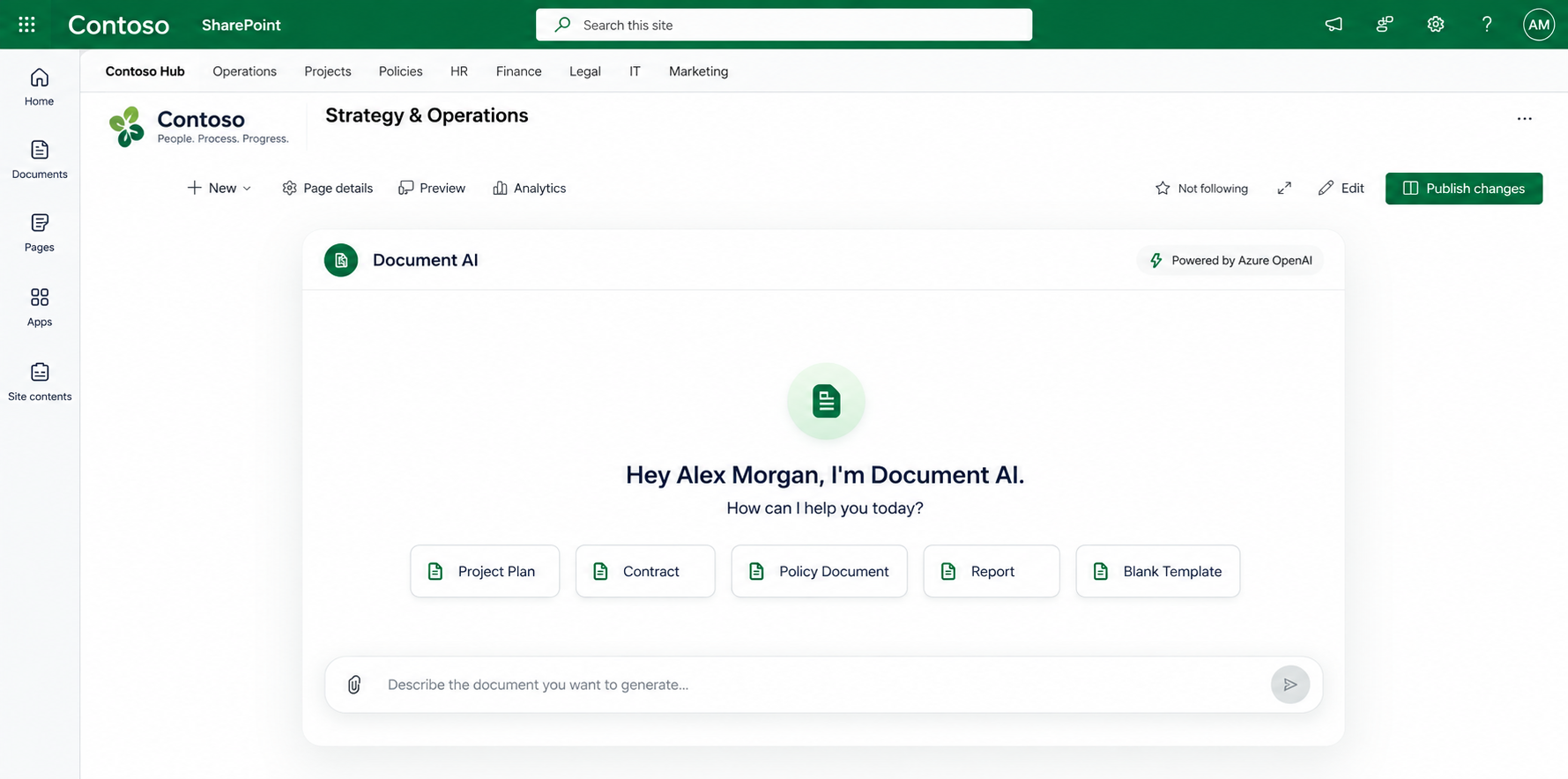
The Problem
Templates exist. Creating the next document still takes manual work.
Teams already store blank templates and completed documents in SharePoint. Creating a new document often still means finding the right file, copying information, filling fields, and maintaining the original formatting.
Manual
Copy → Paste → Edit → Format → Review
Automated
Describe → Generate → Review
The Transformation
Describe the document. Let the system build it.
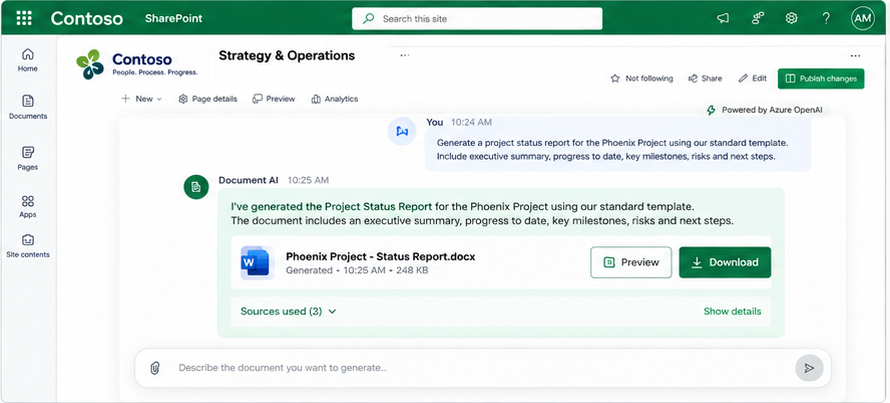
User Request
“I need a new document using our standard company template…”
AI Understands
Classifies the request and identifies the information required.
Company Template
Finds the appropriate template from SharePoint.
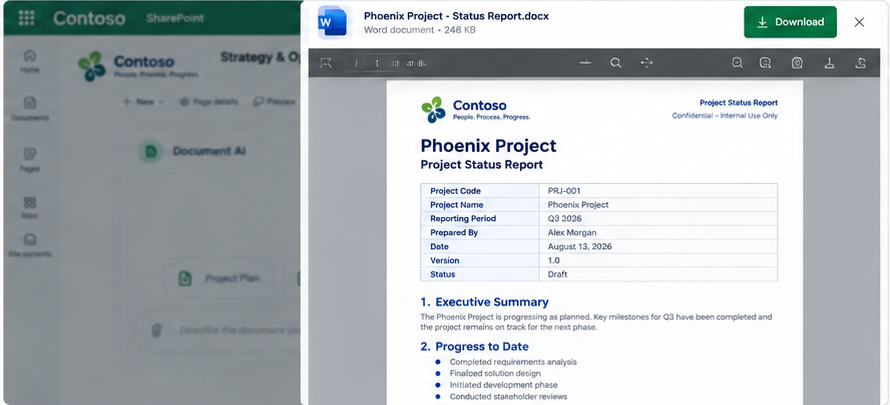
Generated Document
Populates the original template while preserving its structure and formatting.
How the AI Works
From natural-language request to generated document.
- 01
Request
The user describes the document they need in natural language.
- 02
Intent
The system determines whether the request requires generation, clarification, refinement, or conversation.
- 03
Template Discovery
The configured SharePoint template library is searched for the most relevant template.
- 04
Template Understanding
The actual Word or Excel file is inspected for its structure, fields, tables and content.
- 05
AI Fill Plan
The model maps information from the request onto the detected document structure.
- 06
Document Generation
The original OpenXML template is populated while preserving company formatting.
- 07
Save & Report
The generated file is saved back to SharePoint with transparency around the generation.
Template Intelligence
The AI understands the template — not just the prompt.
Instead of defining a separate schema for every document type, the system inspects the actual .docx or .xlsx template at runtime.
Traditional Approach
Template → Manual schema → Field mapping → Generation
This System
Real template → Runtime understanding → AI fill plan → Generation
Architecture + Technology
SharePoint, SPFx, .NET and Azure OpenAI in one pipeline.
SharePoint libraries
Blank Templates Library
Completed Documents Library
Generated Documents Library
Microsoft Graph / OBO permissions
- 01SharePoint
- 02SPFx React Chat Web Part
- 03.NET 8 API
- 04Azure OpenAI
- 05Template Analysis / Fill Plan
- 06OpenXML Document Processing
- 07Generated Word / Excel
- 08SharePoint
Transparency & Human Review
Enterprise AI should not silently invent information.
The system can ask clarifying questions when required information is missing and surfaces assumptions or uncertain values for human review.
Generation review
Clarifying questions when needed- Template Used
- The source template selected from SharePoint.
- Fields Filled
- Values mapped from the request and template structure.
- Assumptions
- Values inferred during generation.
- Items Requiring Review
- Information flagged for human confirmation.
The Outcome
Natural language → company template → production-ready document.
Faster Document Creation
Generate structured documents without rebuilding them manually.
Consistent Formatting
Preserve the original company template and document structure.
Grounded in Real Templates
Generation starts from actual templates stored in SharePoint.
Human Review When Needed
Missing information, assumptions and uncertain values remain visible.
Have a complex business workflow to automate?
I build intelligent enterprise systems around real business processes, data and Microsoft 365 environments.